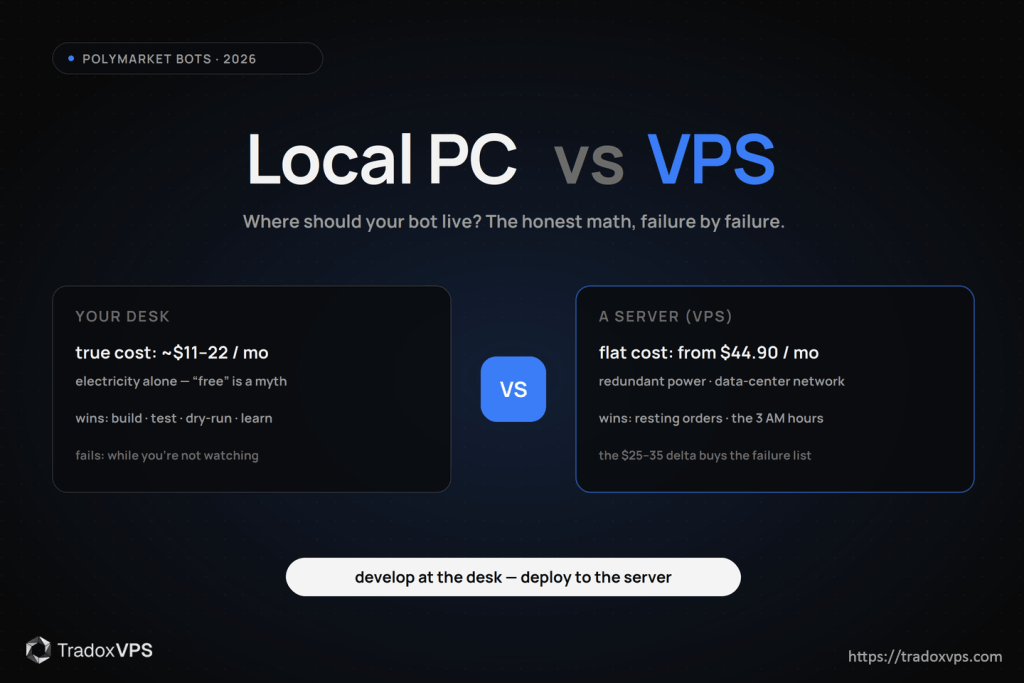
The 10-second answer: build, test, and dry-run on your local machine — always, that’s what it’s for. The moment software holds resting orders or chases time-competitive edges while you’re asleep, the machine it lives on becomes part of the strategy, and a consumer PC on a residential connection is the wrong part. Everything below is the specific why, with numbers — including the ones that favor your desk.
First, kill the “home is free” myth
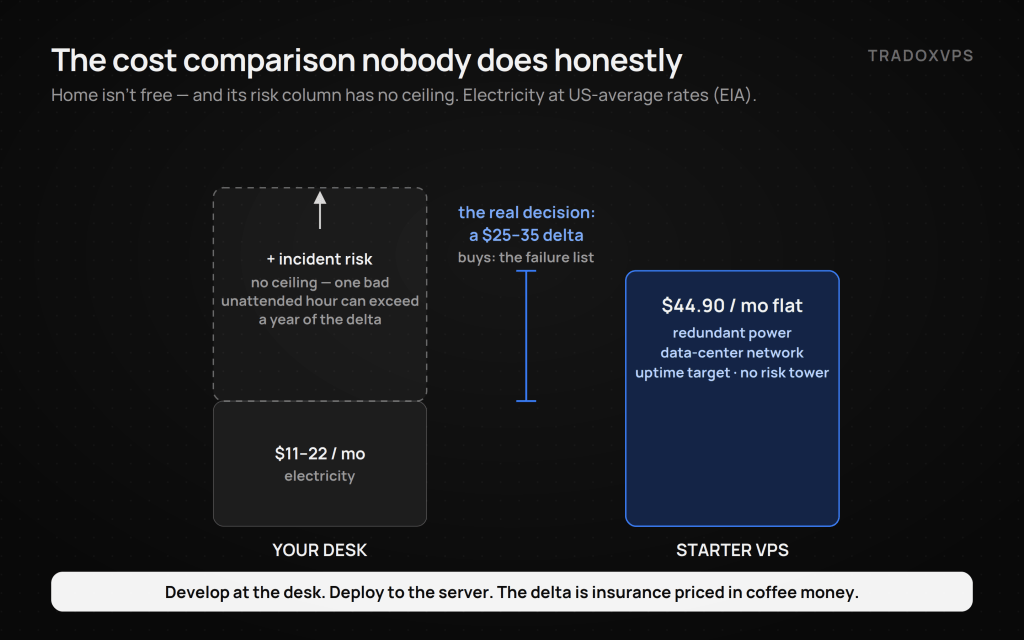
Your PC exists already, so running the bot on it feels like $0. It isn’t. A typical desktop drawing 100–150 W around the clock consumes roughly 72–110 kWh a month; at common US residential rates in the $0.15–0.20/kWh range (check your state on the EIA’s average price table), that’s $11–22 every month in electricity alone — before wear, before your time, before a single incident. Our Starter plan is $44.90. So the real decision was never “free vs $45”; it’s a $25–35 monthly delta, and the question is what that delta buys. Answer: removal of the failure inventory below.
The home-PC failure inventory (and what each one costs a trading bot)
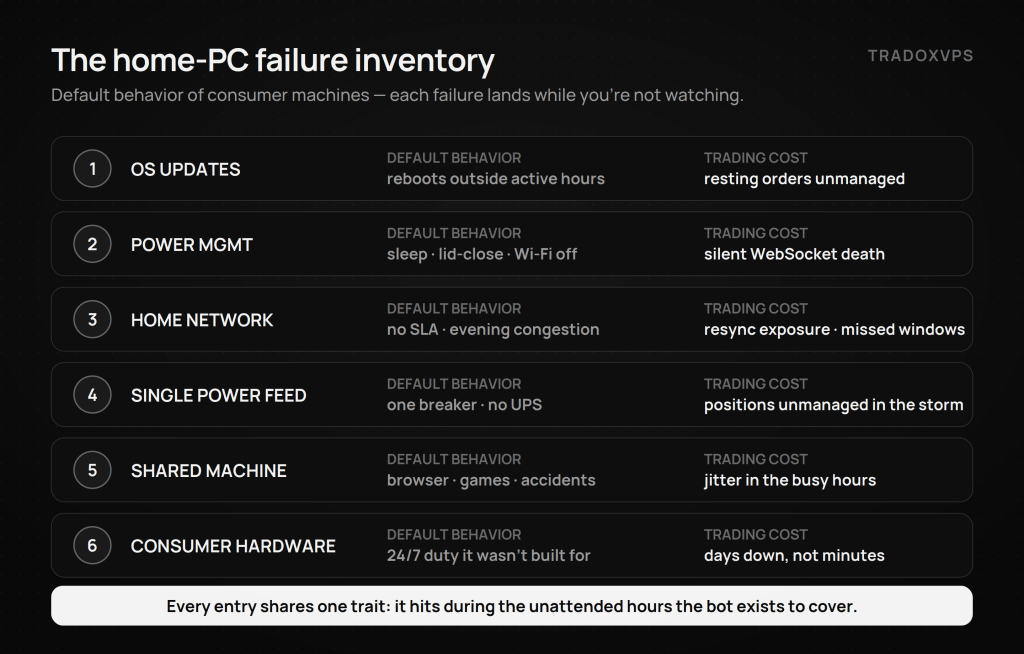
These aren’t hypotheticals — they’re the default behavior of consumer machines, each with a specific trading consequence.
1. The operating system reboots on its own schedule. Windows deliberately installs updates and restarts outside your “active hours” — Microsoft documents the behavior — which for a trading bot means the restart lands precisely in the unattended overnight window the bot exists to cover. You can fight the defaults; most people lose eventually, once, at 3 AM. (Trading cost: a market-making bot’s resting orders sit unmanaged through the reboot — and stale quotes are exactly what informed flow feeds on.)
2. Power management is designed to interrupt you. Sleep on idle, display-off cascading to network-off, USB suspend, lid-close on laptops — consumer power plans assume nothing important runs while you’re away, which is the exact opposite of a bot’s job description. Laptops are the worst offenders: one lid, one battery dip, one Wi-Fi handoff. (Cost: silent WebSocket death — the bot looks fine and trades on a ghost book until your heartbeat alert fires, if you built one.)
3. Residential internet has no contract with you. No SLA, evening congestion on shared neighborhood segments, Wi-Fi micro-drops, modem firmware updates at the ISP’s convenience. Each blip forces a reconnect-and-resync; for a quoting bot, every resync is a window of exposure. One honest nuance the scare-pieces skip: dynamic IPs and CGNAT mostly don’t matter for a Polymarket bot, because it makes only outbound connections — the real residential problem is stability, not addressing. (Cost: missed arbitrage windows that close in seconds, and resync exposure measured in fills you didn’t want.)
4. One power feed, one breaker, one storm. Your house has a single utility feed and (usually) no UPS. Data centers run redundant power paths, battery bridges, and generators as a baseline — that’s most of what the hosting fee buys, and it’s the part you can’t bolt onto a desktop for $30. (Cost: positions unmanaged through an outage you didn’t see, during weather that’s moving the very markets you trade.)
5. It’s also your everything-else machine. The bot shares the box with your browser’s 60 tabs, a game patch saturating the disk, your kid’s homework, and the accidental shutdown. The setup guide’s one-fast-core rule assumes that core isn’t fighting Chrome. (Cost: latency jitter and event-loop stalls precisely during the busy market hours when you’re also using the machine.)
6. Consumer hardware on server duty. Desktops are engineered for bursty use, not 24/7/365 under dust and household heat. They mostly survive it — until a fan, PSU, or drive doesn’t, with no spare on a shelf and no technician on shift. (Cost: days of downtime, not minutes.)
What the failures actually cost: the asymmetry
Notice what every entry above shares: the failure hits while you’re not watching, which is the only time the bot’s existence matters. The economics are asymmetric — the monthly delta is $25–35, while a single bad incident can exceed a year of it: a market maker’s stale quotes through one volatile hour, an arbitrage leg that filled while its hedge didn’t, a position unmanaged through the exact event your model was built for. And since makers trade free on Polymarket precisely because they bear adverse-selection risk, an offline or frozen quoter isn’t earning the rebate — it’s donating the spread. Latency belongs in this ledger too, honestly scoped: our Dublin and Amsterdam boxes measure ~10-15 ms median to Polymarket’s feed and ~21-23 ms warm on the order path, (benchmark, raw data public); a home connection adds consumer routing — plus the Atlantic, from the US — which matters enormously for time-competitive lanes and not at all for a once-a-day strategy. Be precise about which bot you’re running.
When your local PC genuinely wins
This is the section a VPS vendor is supposed to skip. Your desk is the right place when:
- You’re building. Development, backtesting, and the setup guide’s 48-hour dry-run belong on your laptop — fast iteration beats uptime when no money is at risk.
- You’re still learning manually. No bot at all yet; start here and journal 50 trades first.
- You run the alert-bot pattern. Software watches, you execute — if the bot only pings your phone while you’re at the desk anyway, your desk is fine.
- Your strategy has no clock and no resting orders. A daily-cadence model that wakes, decides, places one limit order, and exits survives an hour of downtime unharmed.
- The budget is honest. If $45/month strains the bankroll, the bankroll isn’t ready for 24/7 automation; how undercapitalised traders lose with extra steps.
The middle options, treated fairly
A spare PC as a home server fixes the shared-machine problem and nothing else — same residential network, same single power feed, same update behavior, plus now you administer it. Raspberry-Pi-class boards genuinely run light Python bots and sip power; they keep every network/power weakness and add SD-card mortality. Cloud free tiers exist and are fine for experiments; they’re typically CPU-throttled, bandwidth-capped, or reclaimable — read the terms before trusting them with resting orders. All three are legitimate stepping stones; none removes the inventory above. They postpone the same decision.
The comparison, in checkable rows
| Question | Local PC | VPS (proper data center) |
|---|---|---|
| Who reboots it? | The OS, on its schedule | You, after a drain |
| Power | One feed, no UPS | Redundant feeds, battery, generators |
| Network | Residential, no SLA, evening congestion | Data-center transit, uptime target |
| Latency to venue | Consumer routing (+ Atlantic from US) | from Dublin or Amsterdam |
| Competing workloads | Your browser, games, family | The bot, not your browser and games |
| True monthly cost | ~$11–22 power + incident risk | From $44.90 flat |
| 3 AM hardware failure | You, tomorrow | Someone on shift, tonight |
| Best at | Building, testing, learning | Holding orders unattended |
Crossing the line: the migration in one paragraph
The signal to move isn’t a calendar date — it’s the first time you catch yourself checking whether the bot is still alive from your phone. When that happens: provision a box, follow the setup guide (the build transfers in an evening — rsync the project, fresh .env, systemd), harden it with the 24/7 operations guide, size it with the specs guide (one bot = 2 cores, truly), and verify the latency claims — ours included — with the free probe on a 3-day demo before a dollar changes hands. Keep developing on the laptop; deploy to the server. That split is the whole answer.
Frequently Asked Questions
Yes — and for development, dry-runs, and learning, you should. The home PC becomes the wrong tool specifically when the bot holds resting orders or trades time-sensitive edges unattended: consumer machines reboot for updates, sleep by design, and sit on residential connections with no SLA, and every one of those failures lands while you’re not watching.
Meaningfully, yes. Laptops add lid-close suspension, battery management, Wi-Fi roaming, and aggressive power saving to every desktop weakness. A laptop is the ideal development machine and close to the worst production one.
More than zero: a desktop at 100–150 W around the clock is roughly 72–110 kWh a month — about $11–22 at typical US residential rates (see the EIA’s current averages) — plus hardware wear and the risk column. The honest comparison is a $25–35 monthly delta against a Starter VPS, weighed against the failure inventory.
No. The bot makes outbound connections only — to the CLOB, WebSocket, and data APIs — so dynamic residential IPs and even CGNAT generally don’t block it. The residential problems that matter are stability and congestion, not addressing.
If the bot is in development or runs a no-resting-orders daily strategy: yes, stay local. If it quotes markets, holds orders overnight, or races windows measured in seconds: no — a single bad unattended hour can cost more than a year of hosting. Match the infrastructure to what the bot risks, not to its size.
At the first of these signals: you’ve started checking the bot from your phone, an OS update has killed it once, your strategy now rests orders overnight, or your dry-run results justify real capital in a time-sensitive lane. The migration itself is an evening; the setup and operations guides cover it end to end.
Electricity figures are order-of-magnitude estimates from typical desktop draw and current US average residential rates (linked, EIA) — check your wattage and local rate. Windows restart behavior per Microsoft’s linked documentation. Latency figures are from our published Dublin benchmark, raw data downloadable. We operate TradoxVPS and provide infrastructure, not financial advice; automated trading involves substantial risk of loss.