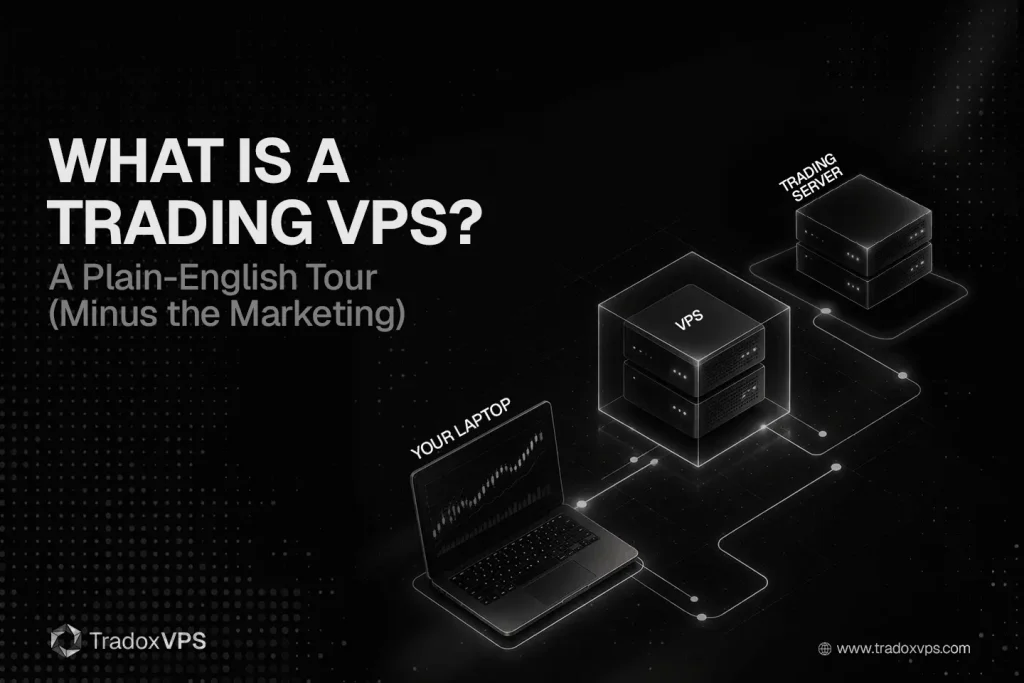
Right now, in a data center somewhere outside Chicago, there’s a sliver of a computer that could be running your trading platform — placing your orders, holding your stops, watching the market — while your own laptop sits closed on the kitchen table.
That sliver is a trading VPS. And strip away the marketing, and that’s really all it is: a computer you rent, that lives near the exchange and never turns off. The interesting part isn’t the definition — it’s why anyone would rent a computer instead of using their own, and what separates a real trading VPS from a $5 web-hosting box with the word “trading” bolted onto the ad.
So here’s the plain-English tour, start to finish.
A trading VPS (virtual private server) is a slice of a powerful computer in a data center that runs your trading platform 24/7, sits physically close to the exchange, and that you control remotely from any device. No magic, no edge in a box — just an always-on machine in a better location than your house.
In short:
- It’s a rented, always-on computer in a professional data center — not software, not a “faster internet” trick.
- Its real job is reliability: keeping your platform and protective orders alive when your home PC, router, or power won’t.
- It’s near the exchange, so orders travel meters of fiber instead of a long home-internet path — useful, but secondary to uptime for most traders.
- It won’t make you money or turn you into a high-frequency trader. It removes a weak link; it doesn’t hand you an edge.
The three letters, in plain English
Most people nod along to “VPS” without ever being told what the letters mean. They’re worth thirty seconds, because each one tells you something real.
Virtual means you’re not renting a whole physical computer. One powerful server gets sliced into several independent partitions, and you rent one of them — your own walled-off portion of processor, memory, and disk. In a good setup, that slice is guaranteed to you; in a cheap one, it’s quietly shared with too many neighbors.
Private means your slice is genuinely yours. Your platform, your files, your settings, sealed off from the other tenants on the same physical box — so nobody else’s runaway process can reach into your trading.
Server means it’s built to run unattended, around the clock, in a data center with backup power and a heavy-duty internet connection. It’s designed to run, not to be looked at. You reach it remotely — usually through Remote Desktop — and once you’re in, it behaves like a second PC you happen to be controlling from across the country.
If you want the lazy analogy: it’s like renting a small furnished apartment in a building right next to where everything happens, instead of commuting in from the suburbs. You get your own private space, the building handles the power and the plumbing, and you can let yourself in from anywhere.
What makes it a trading VPS (and not just a cheap one)
Here’s the part the ads gloss over. “VPS” is a generic product. The exact same three letters cover the $5-a-month box hosting somebody’s hobby website and the machine a futures scalper runs NinjaTrader on. What turns a generic VPS into a trading VPS is a specific, checkable set of four things.
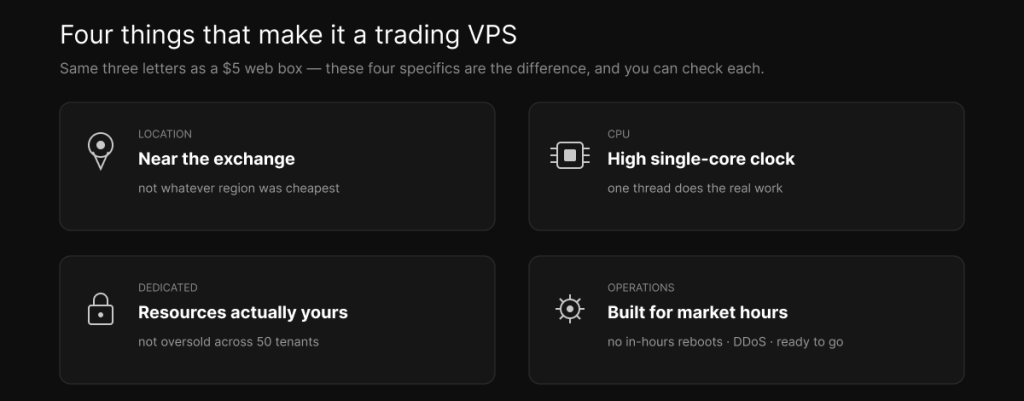
Location — it sits near the exchange’s matching engine (Chicago and Aurora for the CME), not in whatever region was cheapest. This is the one that quietly matters most, and it’s the whole point of how server location impacts execution. CPU — a high single-core clock, like the Ryzen 9950X, because trading platforms run their critical work on one thread; cheap plans brag about core counts that do nothing for you, which is the argument behind why the 9950X is the right chip. Dedicated resources — your processor and memory are actually yours, not oversold across fifty tenants who all spike at the market open. Trading-aware operations — no forced reboots during market hours, DDoS protection, and often your platform pre-installed and ready.
The honest takeaway: a lot of “trading VPS” marketing is just a generic VPS with “trading” in the headline. The real ones differ in those four specific ways — and you can check every one of them before you buy.
This is also the cleanest way to see how a trading VPS compares to the two things people usually weigh it against:
| Home PC | Generic VPS | Trading VPS | |
|---|---|---|---|
| Runs 24/7 with your PC off | No | Yes | Yes |
| Near the exchange | No | Rarely | Yes |
| Dedicated (not oversold) resources | Yes | Sometimes | Yes |
| High single-core clock | Maybe | Rarely | Yes |
| No reboots during market hours | You hope | Not guaranteed | Yes |
| Typical cost | Already own it | ~$5–20/mo | ~$40–250/mo |
How a trading VPS works, start to finish
If the word “server” makes this sound technical, it isn’t. Setting one up is the same as setting up a second computer — you just do it remotely and then leave it running.
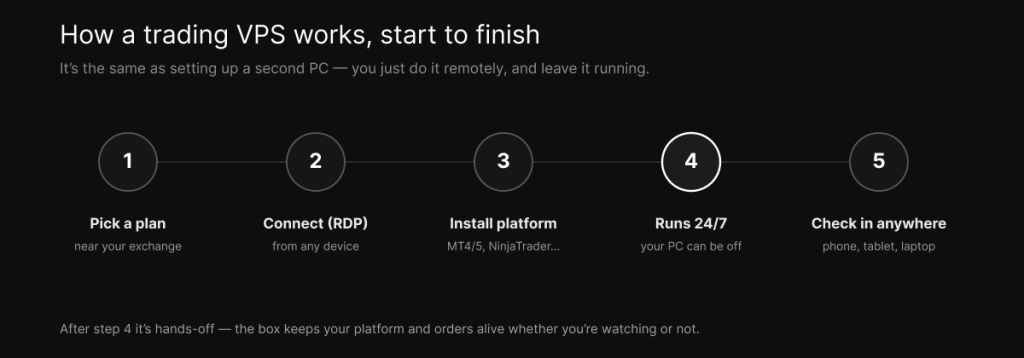
You pick a plan and a location near the exchange you trade. You connect to it with Remote Desktop — a built-in tool on Windows, and a free app on Mac, iPhone, iPad, or Android — and a desktop appears, exactly like a second PC. You install your trading platform on it, whether that’s MetaTrader 4 or 5, NinjaTrader, Sierra Chart, or Tradovate, the same way you would at home. Then you leave it running 24/7 — and this is the whole point: it keeps going with your own computer shut down, your laptop closed, your power out. Whenever you want, you check in from any device to review positions, adjust settings, or read logs.
After that, it’s hands-off. The box keeps your platform and your orders alive whether you’re watching or not, which is exactly the role it’s there to play.
What it’s actually for (the honest version)
The marketing wants to sell you speed. The honest truth is duller, and more useful: the main reason to rent one is that your home setup is a single point of failure, and a trading VPS isn’t.
Your home PC sleeps, reboots itself for updates at the worst possible moment, and shares its processor with your browser, your email, and an antivirus scan that always seems to fire during the open. A VPS does one job and never powers down. Your home internet drops — a cut cable down the street, an overheating router, an ISP hiccup — and it tends to drop exactly when you have a position on. A data-center connection is far steadier, and here’s the part that actually protects you: if your connection dies, the VPS is still online holding your stops, and you can reconnect from your phone to deal with it. And your house sits hundreds of miles from the exchange, while the VPS sits next door, so your orders travel meters of fiber instead of a long, hop-filled internet path — the case the home PC comparison makes in full.
Put the value in order of honesty and it looks like this: for most traders, the biggest benefit is uptime, stability, and risk management — keeping your platform and your protective orders alive no matter what your home does. The speed benefit is real, but it’s secondary unless you’re scalping or running fast bots, where shaving the delay genuinely narrows slippage.
What a trading VPS is not
This is where the brochures go quiet, so let’s be blunt.
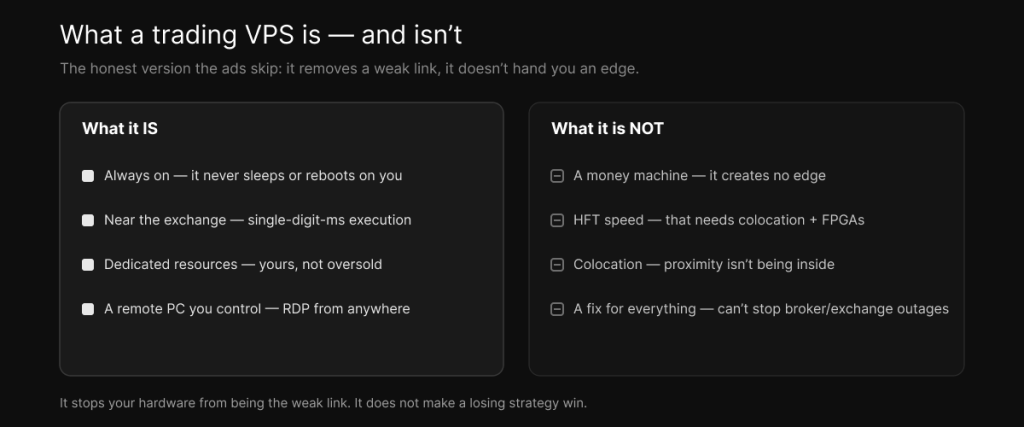
It is not a money machine. It removes infrastructure friction; it does not create an edge. It stops your hardware from being the weak link — it doesn’t make a losing strategy win. It is not HFT speed, either: a retail VPS gets you single-digit-millisecond execution, not the microseconds of institutional high-frequency trading, which need colocation and specialized hardware, as the low-latency reality piece explains. It is not colocation — being near the exchange isn’t being inside it, and the sub-millisecond numbers in ads are network ping, not your order’s actual round-trip. It is not a VPN, which confuses a lot of beginners: a VPN reroutes your existing connection (and usually makes it slower), while a VPS is a whole computer near the market — the VPS-versus-VPN piece untangles it. And it can’t save you from everything: a VPS protects the link between you and your broker, but it can’t stop an exchange halt, a broker outage, or a data-feed problem further down the chain.
None of that makes it less worth having. It just means you should buy it for what it does, not for what a landing page implies.
Is a trading VPS safe?
Mostly, yes — with the usual caveat that you are part of the security. A professional data center gives you things a home connection doesn’t: hardware firewalls, DDoS protection, physical security, and isolation from the other tenants on the box. Your trading also gets safer in a practical sense, because it’s no longer riding on a home network shared with every other device in the house.
But a VPS isn’t a security silver bullet. It’s a Windows machine exposed to the internet, so the basics are on you: use a strong, unique password, turn on two-factor authentication where your provider offers it, don’t leave Remote Desktop wide open to the whole world, and keep the system updated. Do that, and a trading VPS is at least as safe as — usually safer than — trading from your home PC.
Do you actually need one?
Not everyone does, and you’ll get a straighter answer here than from anyone trying to sell you a plan.
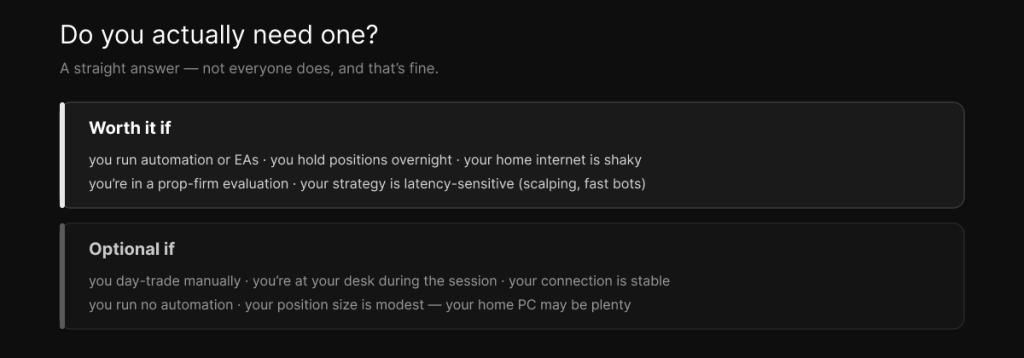
A trading VPS is genuinely useful if you run automated strategies or EAs that have to keep trading while your PC is off; you hold positions overnight or trade outside your own waking hours; your home internet is unreliable; you’re doing a prop-firm evaluation where a single disconnect could blow your risk limits; or your strategy is latency-sensitive, like scalping or fast bots.
It’s optional, or skippable, if you’re a casual manual day-trader who sits at the desk during the session, on a stable connection, with no automation and modest size. In that case your home PC may be perfectly fine, and there’s no shame in not buying infrastructure you won’t use.
A few terms, defined
If some words above were new, here’s the quick reference:
- VPS — virtual private server; your own walled-off slice of a data-center computer.
- RDP (Remote Desktop) — the tool you use to control the VPS from your own device, as if its screen were on your desk.
- Latency — the round-trip time for an order to reach the exchange and come back, measured in milliseconds.
- Matching engine — the exchange’s computer that actually pairs your buy with someone’s sell; “near the exchange” means near this.
- Single-threaded — software that does its critical work on one CPU core, which is why clock speed beats core count for trading platforms.
- Slippage — the gap between the price you intended and the price you got; latency is one of its causes.
- Colocation — placing a server inside the exchange’s own data center; the institutional tier, a step beyond a proximity VPS.
So, what is a trading VPS?
It’s not magic, and it isn’t for everyone. It’s a rented, always-on computer that sits near the market and does one job well — so your platform keeps running and your orders keep working when your laptop, your router, or your power doesn’t. If that’s a weak link in your trading, it’s one of the cheapest things you can fix. If it isn’t, you can skip it with a clear conscience.
And if you do want one near the CME, that’s exactly what our Chicago plans and pricing are built for — with a dedicated setup for NinjaTrader if that’s your platform. The right move is always to match the spec to how you actually trade, which the buyer’s guide walks through.
Frequently asked questions
You rent a slice of a server in a data center, connect to it remotely through Remote Desktop like a second PC, install your trading platform, and leave it running 24/7. Your orders travel from the VPS to your broker; you just check in whenever you want to.
If you automate, trade overnight, have shaky home internet, or run latency-sensitive strategies, usually yes — it removes your home setup as a point of failure. For a casual manual day-trader on a stable connection, it’s optional.
A regular VPS is generic hosting; a trading VPS adds the specifics that matter for markets — location near the exchange, a high single-core-clock CPU, genuinely dedicated resources, and trading-aware operations like no reboots during market hours.
For reliability and location, yes — it never sleeps, has a steadier data-center connection, and sits near the exchange. For a casual trader at their desk on a stable connection, a home PC can be enough.
It reduces latency compared to a home connection, getting you single-digit-millisecond execution, but it isn’t HFT speed and the sub-millisecond figures in ads are ping, not execution. For most traders the bigger benefit is uptime, not raw speed.
No. It removes infrastructure problems so your strategy can run cleanly, but it can’t create an edge or rescue a losing system.
A professional data center adds firewalls, DDoS protection, and isolation a home connection lacks, but you still need a strong password, two-factor authentication, and sensible Remote Desktop settings. With those in place it’s typically safer than trading from your home PC.
Yes. The VPS runs Windows, but you connect to it with a free Remote Desktop app available for Mac, iPhone, iPad, and Android — so you can check in or manage trades from almost any device.
Yes, as long as the plan has enough processor and memory — plenty of traders run several platforms or accounts on a single VPS.
We operate TradoxVPS and provide trading infrastructure, not financial advice. A trading VPS improves uptime and execution but cannot create an edge, deliver HFT-grade latency, or protect against broker and exchange outages beyond your own infrastructure; advertised sub-millisecond figures are network ping, not order execution. Trading futures and other leveraged products carries substantial risk, including the loss of more than your initial deposit.