Pricing checked: 3 September 2026. Prices, entitlements, versions, and exchange fees can change. Verify the linked vendor page before purchasing.
Currency note: Prices are shown in the vendor’s published currency, followed by an approximate USD or EUR conversion. Conversions use the European Central Bank reference rate for 3 September 2026, €1 = $1.1615. Final charges may differ because exchange rates and payment-provider fees change.
Disclosure: TradoxVPS sells VPS hosting. It has no affiliate relationship with any add-on, indicator, data provider, replay service, or trading-journal vendor mentioned in this guide. Product inclusion is for comparison and does not constitute an endorsement.
Introduction
The most useful NinjaTrader add-ons are not the products with the longest feature lists. They are the smallest tools that solve a problem you can describe, test, and measure. A trader who needs one better trailing rule has a different problem from a trader who wants to copy orders across permitted accounts. Neither necessarily needs a large indicator bundle.
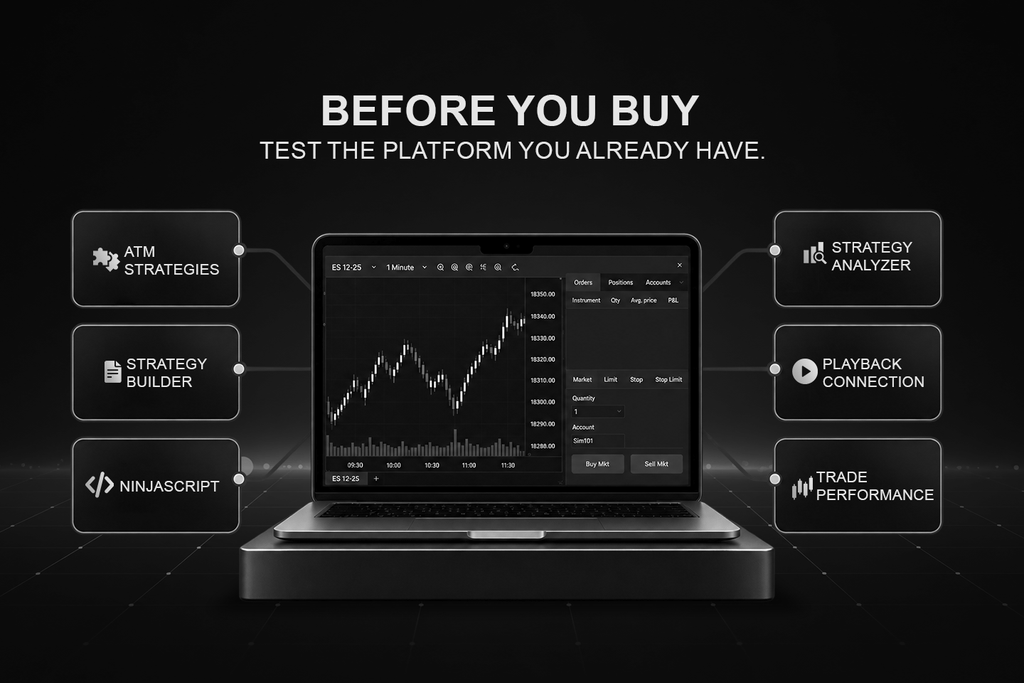
Start with what NinjaTrader Desktop already provides. ATM Strategies can manage stops and targets. Strategy Builder can create rule-based NinjaScript strategies without starting from an empty code file. Strategy Analyzer handles historical tests and optimisation. Playback Connection supports practice with Market Replay or historical tick data. Trade Performance provides native reporting. A paid tool becomes relevant only when one of those options cannot complete the workflow.
This guide organises the ecosystem by trading job, not by vendor. It compares native features, third-party products, data dependencies, and failure boundaries. Reddit discussions informed the questions and pain points, including account limits, copier dependencies, changing backtest results, and replay downloads that appear to contain no usable data. Product facts and prices come from official documentation, not Reddit.
How NinjaTrader add-ons fit into the wider stack
Traders often treat the platform, add-ons, data, and brokerage connection as one product. They are separate layers. NinjaTrader Desktop supplies the workspace, order-entry windows, strategy engine, charts, reports, and connection framework. Extensions run inside that desktop process.
Separate applications such as Bookmap and Jigsaw daytradr may connect through an adapter, bridge, broker, or data provider. Market data supplies prices and depth, while the broker or clearing relationship handles the account and order route.
The distinction matters when something stops. A resting broker-held order may remain active after the platform closes, while a local strategy calculation, copier instruction, alert, or risk action cannot run without its software and connection. Order behaviour varies by order type and connection provider, so confirm it in the relevant documentation and test it in simulation.
| Trading job | Native starting point | Consider another tool when | Typical local dependency |
|---|---|---|---|
| Stops, targets, and trailing rules | ATM Strategies | The management logic is more complex than an ATM template | Moderate to high |
| Visual strategy creation | Strategy Builder | Rules need a more flexible visual logic layer | High during live automation |
| Multi-account copying | Confirm permitted account options | Manual duplication is slow or error-prone | High |
| Footprint and delta analysis | Order Flow+ | A specialised display or workflow is missing | Moderate |
| Historical strategy testing | Strategy Analyzer | The test needs a different data or execution model | Low to moderate |
| Account monitoring | Broker controls and platform tools | A local alert or lockout is still required | High |
| Trade review | Trade Performance | Notes, playbooks, and cross-account review are insufficient | Low |
The practical rule is simple: Identify the missing function, then map every component it depends on. That prevents an inexpensive add-on from becoming an expensive stack of extra licenses, feeds, machines, and subscriptions.
Check NinjaTrader’s native tools first
For discretionary order entry, Chart Trader and SuperDOM already support account selection, order placement, position management, and ATM templates. An ATM Strategy is a set of rules that creates and manages stop-loss and profit-target orders for a position. It can also apply breakeven and auto-trail behaviour. That covers many bracket-order workflows without another trade manager. ATM Strategies are semi-automated position-management tools, not a general strategy-development environment.
For automation, Strategy Builder generates NinjaScript-based strategies through a visual workflow. NinjaScript itself extends C#, so developers can build indicators, automated strategies, drawing tools, and full add-ons for the Windows desktop application. Strategy Builder is a sensible first test for clear rules. Direct NinjaScript becomes useful when the logic needs complex state, custom order handling, or integration code.
For research, Strategy Analyzer can run backtests, optimisation, walk-forward optimisation, multi-objective optimisation, and Monte Carlo analysis on NinjaScript strategies. Playback Connection is different. It plays Market Replay data or historical tick data through the platform for practice and forward-style observation. Trade Performance then provides summaries, analysis, trades, orders, executions, and journal views for recorded trade history.
For chart analysis, begin with the included studies and any Order Flow+ entitlement shown in your account. NinjaTrader’s current pricing page says a funded live account unlocks features including Order Flow+ and Market Replay, while the desktop help guide still describes Order Flow+ as included for Lifetime license users. Because those official descriptions are not identical, check the entitlement shown in your Client Dashboard rather than relying on an old forum answer.
Community downloads are another native starting point, especially for a narrow display or utility. Treat them as code, not as decorations. Read the description, preserve a backup, confirm the supported platform version, and test the import in a separate workspace. This is also the right baseline for evaluating commercial NinjaTrader add-ons: a paid product should offer a meaningful function, documentation, or support advantage over the native and community options you can already test.
Order execution, automation, and trade copying
ATM Strategies should be the baseline for stops, targets, breakeven actions, and common trailing rules. BlackBird is the step up when a trader needs a deeper visual trade-management layer, including dynamic entry, target, stop, position-sizing, and scaling logic. SharkIndicators lists BlackBird at $125 (€108) per month or $1,495 (€1,287) once. If the native ATM template already expresses the complete rule, the extra product adds cost and another dependency without solving a new problem.
Strategy Builder and NinjaScript are the native automation path. BloodHound offers a more flexible node-based environment for combining indicators, price action, and logic. SiRaven, included with BloodHound, can take BloodHound signals and place entries and exits as a NinjaTrader strategy. It can use a simple target and stop or a saved ATM template. BloodHound costs $83 per month or $995 once. The BloodHound and BlackBird bundle is $166.25 (€143) per month or $1,995 (€1,718) once. One-time licenses include one year of updates, after which the installed eligible version can continue to be used.
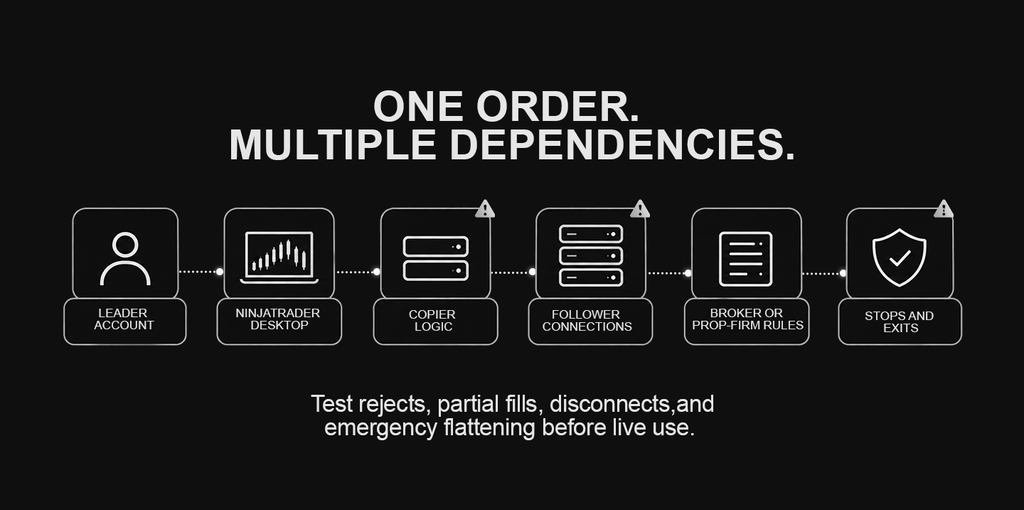
Replikanto addresses a different job. It is a NinjaTrader trade copier that sends orders from one leader account to follower accounts using methods such as exact quantity, equal quantity, ratio, and pre-allocation. For remote mode, NinjaTrader and Replikanto must run on every participating machine, each machine needs a license, and the leader needs credits to send orders across the internet. Replikanto pricing varies by license and customer location. Confirm the selected license price and displayed currency at checkout.
| Tool | Best fit | Published price checked 3 September 2026 | Main limitation |
|---|---|---|---|
| ATM Strategies | Common bracket and trailing workflows | No separate published add-on price | Not a general strategy builder |
| BloodHound with SiRaven | Visual signal logic and straightforward execution | $83 per month or $995 once | Rules still require testing and compatible execution |
| BlackBird | Advanced visual trade management | $125 per month or $1,495 once | Can overlap with ATM Strategies |
| BloodHound and BlackBird bundle | Visual signal and management stack | $166.25 per month or $1,995 once | Larger cost and dependency footprint |
| Replikanto | Permitted leader-to-follower copying | License and locale selection required | Every involved desktop dependency must remain available |
The copier pain point is not only account count. Traders also ask why followers fill at different prices, whether mobile orders trigger desktop copying, and what happens after a disconnect. These are system-design questions. Separate orders reach separate queues, and a follower may receive a different fill.
A mobile-originated order can only be copied when the supported desktop connection, NinjaTrader, and Replikanto remain active. Broker and prop-firm rules still apply.
Charting, indicators, and order-flow tools
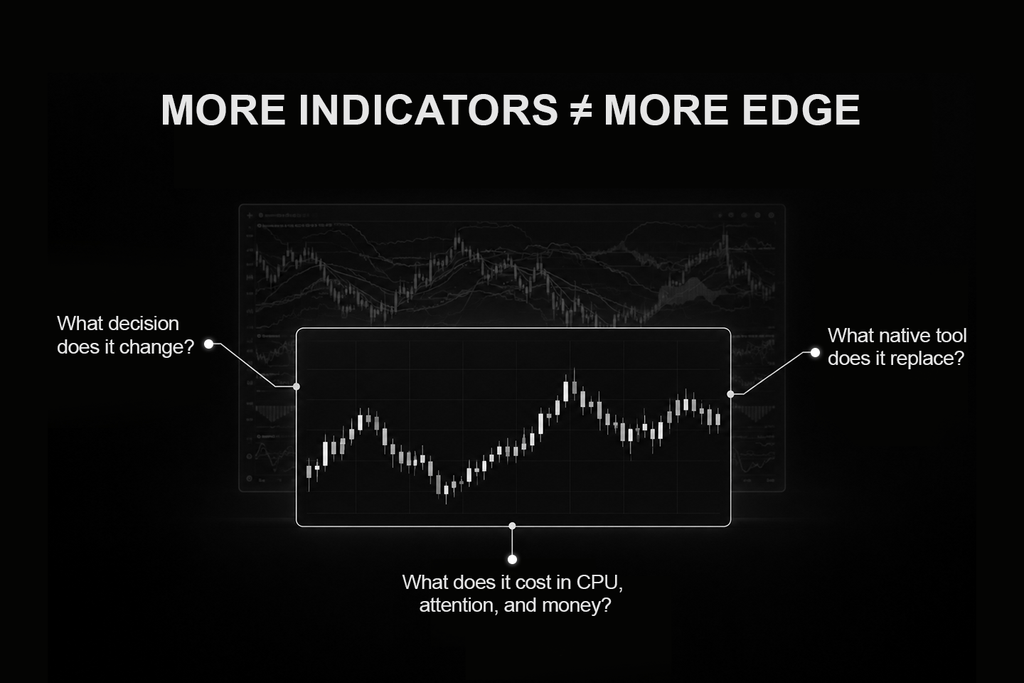
Order Flow+ is the native starting point for volumetric bars, cumulative delta, volume profile, VWAP, market-depth mapping, and trade detection. Before buying another package, list the specific calculation or display that is missing. Many traders searching for NinjaTrader indicators are really trying to answer one of three questions: where volume traded, whether aggressive buying or selling dominated, or how displayed liquidity changed. One tool does not need to answer all three.
Free and community scripts can help with a narrow need, but “free” describes the purchase price, not the support or operational risk. Review the source, documentation, version history, and installation method. Test one addition at a time in simulation.
MZpack currently offers free limited versions of mzFootprint, mzVolumeProfile, and mzBigTrade without a time limit. Its paid suite expands into six indicators covering footprint, volume profile, large trades, historical depth, volume delta, and delta divergence. Individual lifetime licenses run from $173 to $266, the six-indicator package is $463 once or $57 per month, and the full suite starts at $696.
Bookmap and Jigsaw daytradr are better understood as separate order-flow workspaces than ordinary chart studies. Bookmap visualises historical liquidity, traded volume, and order-book changes. Its current plans are Digital free, Digital+ at $19 monthly, Global at $49 monthly, and Global+ at $99 monthly. Annual billing lowers the displayed monthly equivalents, and lifetime options are listed for Global and Global+. Futures and stock data are separate. Global+ is required to trade funded accounts from the Bookmap chart. Bookmap can connect with NinjaTrader 8 through a plugin and NinjaScript adapter, although a direct provider connection may be preferable for some workflows.
Jigsaw daytradr focuses on DOM execution, order flow, simulation, and review. The Foundation package is $579 once. Live trading capability is an optional $50 per month or $500 per year subscription. Jigsaw’s 2026 documentation lists direct or bridge options for NinjaTrader, Tradovate, Rithmic, CQG, and other supported feeds. Confirm the correct connection method for the current NinjaTrader version before moving a live account.
| Product | Primary view | Software price | Extra dependency to price |
|---|---|---|---|
| Order Flow+ | Native volumetric, delta, profile, and depth tools | Check current NinjaTrader entitlement | Suitable market data |
| MZpack | Specialised footprint, profile, depth, and delta studies | €149 to €229 ($173 to $266) each; €399 ($463) package; €49 ($57) per month; €599 ($696) full suite | Level 2 for depth-dependent functions |
| Bookmap | Liquidity heatmap and order-book history | Free; Digital+ $19 (€16), Global $49 (€42), Global+ $99 (€85) per month; annual and lifetime options vary | Market data and possibly another application connection |
| Jigsaw daytradr | DOM execution, order flow, simulation, and review | $579 (€498) once; live trading $50 (€43) per month or $500 (€430) per year | Supported broker or data connection |
More visuals do not automatically produce a better decision. A Reddit discussion on order flow repeatedly returns to the same pain point: traders want to know what is useful in real time rather than what looks convincing afterward. Define one setup, record the evidence you act on, and remove displays that do not change a decision.
Backtesting, optimisation, and market replay
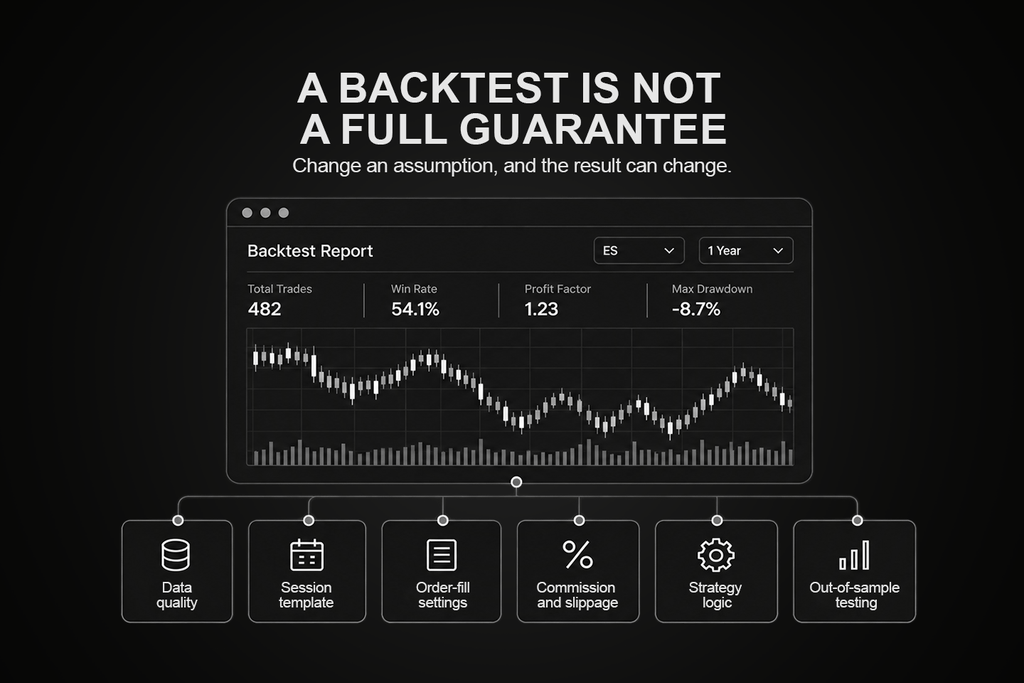
Strategy Analyzer tests NinjaScript strategies on historical data. Its backtest settings include instrument, date range, trading hours, commissions, and historical fill processing. Standard fill resolution works from the tested bar series. High fill resolution adds a more granular secondary series for the fill algorithm, although it is not available with every multi-time-frame or Tick Replay configuration. The fills remain simulated.
Tick Replay is frequently misunderstood. It replays historical market-data events so scripts that were specifically programmed for them can calculate in sequence. NinjaTrader states that it is not intended as a general way to reproduce live strategy results. For more granular backtest fills, use the supported historical-fill approach or submit orders to a granular series through code.
Optimisation searches parameter combinations against historical fitness criteria. Walk-forward optimisation then applies chosen parameters to later out-of-sample segments. These tools help test robustness, but repeated searching can fit noise. Keep an untouched validation period and document every data, contract, session, commission, and fill assumption.
Monte Carlo analysis can explore how a different trade sequence changes drawdown or other results. It does not improve the underlying trades. Use it after the strategy, data, and fill assumptions are credible, not as a repair for weak evidence.
Playback Connection serves a different purpose. Market Replay contains ordered Level I and Level II events when recorded or downloaded, while historical tick playback depends on the provider and does not include market depth. NinjaTrader offers a limited amount of replay data for common instruments. MarketReplayData.com’s purchase page lists a legacy stand-alone downloader at $8.95 (€7.71) per month or $89.95 (€77.44) per year and explicitly says that version is not integrated with NinjaTrader 8. Treat it as a clarification, not a default recommendation.
The real lesson from traders whose results changed after clearing cached data is reproducibility. Preserve the exact contract, merge policy, data source, download date, trading-hours template, code version, and test settings. If any input changes, the test is not a controlled rerun.
Risk controls and failure boundaries
Risk controls work in layers. Broker and clearing controls cover matters such as account permissions, margin, liquidation, and broker-held orders. Prop firms add their own drawdown, position, consistency, automation, and copying rules. NinjaTrader supplies trade-level tools such as stops, targets, ATM logic, and strategy settings. Its Risk window applies risk templates to local simulation accounts, not as a universal live-account guardrail.
ClickAlgo’s Risk Management Assistant adds local monitoring. It can track account and trade events, issue pop-up, email, Telegram, and voice alerts, close selected or all positions, and apply trading lockouts. The vendor lists it as free for personal use under its license agreement. It is a Windows-compatible NinjaTrader add-on, so its automatic actions depend on the application, NinjaTrader, the relevant account connection, and market data being available. It should supplement broker-side controls, not be described as equivalent to them.
| Control | Where it runs | What may stop with the platform | What can remain outside the platform |
|---|---|---|---|
| ATM or NinjaScript logic | NinjaTrader Desktop | Calculations, modifications, and locally simulated actions | Broker-held orders, depending on provider and order type |
| Trade copier | Local add-on and connected accounts | New follower instructions and reconciliation | Orders already accepted by each broker |
| ClickAlgo assistant | NinjaTrader add-on | Monitoring, alerts, lockouts, and automatic close instructions | Broker margin and liquidation controls |
| Prop-firm rule | Firm systems and account terms | Local warnings may stop | Firm enforcement continues under its rules |
Do not call a local lockout “guaranteed protection”. Test the actual response to a data interruption, broker disconnect, platform restart, partial fill, rejected order, and position mismatch. Also test what happens after reconnecting. The boundary matters more than the feature count.
Set daily-loss and position limits at the strongest available layer, then use local alerts as an additional warning. A control that depends on the same failing process cannot be the only response to that failure.
Data feeds and broker connections
A market-data feed and an execution connection are not interchangeable. Market data supplies real-time prices, historical records, and possibly market depth. The brokerage connection supplies accounts, order submission, routing, positions, and margin information. One provider can perform both roles, but the permissions and charges remain distinct.
For NinjaTrader Clearing accounts, current non-professional CME Group fees are $4 per exchange or $12 per month for the four-exchange Level I bundle, and $16 per exchange or $48 for the Level II bundle. Professional fees are $156 per exchange. These charges sit on top of any plan, commission, clearing, routing, or other account fee.
Kinetick is an independent data service, not an order-routing replacement. Its base service is $81.11 per month and includes up to 100 simultaneous symbols plus historical tick, minute, and daily data. The current market-depth upgrade is $24.15 per month. Real-time exchanges are additional and vary by professional status and market. Kinetick can make sense when the existing broker feed lacks the required symbols, depth, or history. It is difficult to justify when the current connection already supplies everything the workflow uses.
| Need | NinjaTrader brokerage data | Kinetick | Rithmic or CQG through a broker or firm |
|---|---|---|---|
| Real-time prices | Available with selected exchange entitlement | Available with base service plus exchanges | Depends on the account arrangement |
| Market depth | Requires Level II entitlement | Requires market-depth option and exchange | Depends on permissions and provider package |
| Order routing | Yes, for connected brokerage accounts | No | Usually supplied through the broker or firm |
| Universal retail price | Published for NinjaTrader Clearing | Base and options published | Often depends on intermediary agreement |
Connection problems are often licensing or session problems rather than raw network problems. Confirm whether the same credentials can connect to several applications, whether a plugin mode is required, which gateway the account uses, and whether market-by-order data is enabled. Do not buy an additional feed until the missing field, symbol, history, or simultaneous connection has been identified.
Market replay and trading journals
Use Playback Connection before paying for another replay product. NinjaTrader can play downloaded Market Replay data or supported historical tick data, and it can record live data for future playback. Market Replay preserves ordered Level I and Level II events when available. Historical tick playback does not provide market depth and depends on the source data. A failed playback download can look like a software problem when the selected instrument, contract, date, workspace, or connection state is wrong, so verify the file in Historical Data before changing tools.
For review, begin with Trade Performance. It can filter account history and show summary, analysis, executions, trades, orders, and journal entries. A separate journal is useful when you need structured playbooks, screenshots, tags, cross-account analytics, or a review routine that lives outside NinjaTrader.
TradeZella currently lists Essential at $35 per month, Pro at $59, and Ultra at $99. Annual billing is shown as $315, $531, and $891, equivalent to $26, $44, and $74 per month on the page. Essential supports one active account and excludes Trade Replay. Pro supports up to 50 active accounts, while Ultra lists unlimited active accounts. Confirm that the required NinjaTrader import or sync method supports the exact account source before subscribing.
| Review need | Native Trade Performance | TradeZella |
|---|---|---|
| Basic trade statistics | Included | Included in paid plans |
| Orders and executions | Native account history views | Imported or synchronised history |
| Playbooks and structured review | Limited | Built for journaling workflows |
| Trade Replay | Use NinjaTrader Playback separately | Not in Essential; included in higher tiers |
| Hosting dependency | Low | Low for normal cloud-journal use |
Calculate the complete cost, not the sticker price
The product price is only the first line. A one-time license may include a limited update period. A copier can require another machine license or remote credits. An order-flow application may need Level II or market-by-order data. A journal may charge by account tier. A live execution feature can sit behind a separate recurring subscription.
Before purchase, write down four totals. First, direct software costs: Subscription, lifetime license, updates, and extra devices. Second, data costs: Base service, exchange entitlement, depth, professional classification, and historical data. Third, connection costs: Broker, routing, plugin, or simultaneous-login fees. Fourth, operational costs: Windows host, backups, testing time, support, and maintenance.
This turns vague comparisons into a decision. A free script with weak documentation can be more expensive to maintain than a supported paid tool. A large bundle can also be wasteful when only one function is used. Pricing checked on a date is not a promise that it remains current, so keep the vendor link beside each budget line and recheck it before renewal.
A simple purchase note should answer six questions:
- What exact problem does the product solve?
- Which plan unlocks that function?
- How many machines or accounts are covered?
- Which data level is required?
- What renews automatically?
- What happens if the subscription or update period ends?
If any answer is unclear, ask the vendor before live installation. This small record also makes later renewal decisions much easier.
Where a VPS fits into the NinjaTrader add-on stack
The deciding question is whether local logic must remain active while you are away or your home computer is off. If the answer is no, hosting may add complexity without solving a real problem.
High relevance includes unattended NinjaScript strategies, Replikanto, BlackBird, SiRaven, local risk actions, and alerts that must keep running. Moderate relevance includes large order-flow workspaces, continuous data collection, and long remote tests. Low relevance includes a few ordinary indicators, supervised manual sessions, occasional replay, and cloud journaling.
| Use a local computer when | Consider hosted Windows when |
|---|---|
| You supervise every active session | Tested local logic must remain active while you are away |
| The workflow is light and manual | A copier, strategy, or alert depends on continuous desktop operation |
| A home outage does not create unmanaged logic | Removing home power and internet from the dependency chain matters |
If your setup falls on the right-hand side of that table, our NinjaTrader VPS page covers what the hosted setup looks like. This article does not repeat server sizing or location guidance, because those are covered in our NinjaTrader VPS selection guide and our NinjaTrader VPS optimisation guide. Hosting does not fix strategy logic, produce fills, prevent broker outages, or override prop-firm rules.
Test the complete stack before trusting it live
Install NinjaTrader add-ons one at a time. Record the NinjaTrader version, add-on version, license state, and configuration file before installation. Keep a recoverable backup of workspaces, templates, and custom scripts. Open and close NinjaTrader after each addition so startup errors are isolated.
In simulation, use the instruments, contract months, trading hours, order types, quantities, and account mappings that represent the intended workflow. For a copier, verify leader and follower direction, scaling, rejected orders, partial fills, flatten actions, and crossed instruments. For automation, test repeated signals, session boundaries, enable and disable behaviour, historical-to-real-time transition, and manually closed positions.
Then test failures deliberately outside trading hours:
- Disconnect and reconnect the market-data or brokerage connection.
- Close the remote-access window without signing out, if hosted.
- Restart NinjaTrader and confirm which tools re-arm automatically.
- Stop the platform while simulated orders are working.
- Restore the connection and inspect position, order, and strategy state.
- Review logs for rejected orders, exceptions, and repeated reconnects.
Resource testing should use a representative busy session, not an idle Sunday chart. Watch whether charts, order-flow displays, strategies, and connected applications remain responsive together. Add components until the intended stack is complete, then maintain headroom. The goal is not a perfect laboratory result. It is a documented understanding of what the system does when the normal path breaks.
Create a short acceptance checklist before the test so a surprising result cannot be explained away afterward. Define the expected leader and follower positions, maximum acceptable mismatch, required alerts, recovery state, and person responsible for intervention. Save screenshots and logs from the test. If a tool fails one required scenario, fix the configuration and rerun the entire dependency chain, not only the last click.
Repeat the test after a NinjaTrader, Windows, add-on, or connection update. Version changes can alter startup, permissions, adapter behaviour, and saved workspaces. Schedule these checks outside live sessions and keep the last known working installer or configuration where licensing permits it.
Five example NinjaTrader stacks
These are use cases, not universal recommendations. The smallest workable combination is often the best one.
| Trader | Starting stack | Add only if the gap appears | Hosting relevance |
|---|---|---|---|
| Manual futures trader | Chart Trader, SuperDOM, ATM, native studies | One specialised indicator or journal | Low |
| Order-flow learner | Order Flow+ or free MZpack tools, Playback | Paid MZpack, Bookmap, or Jigsaw after a defined need | Low to moderate |
| Visual strategy builder | Strategy Builder, Strategy Analyzer, simulation | BloodHound with SiRaven for richer visual logic | High when unattended |
| Multi-account trader | Confirm firm and connection rules, then simulate mappings | Replikanto for permitted copying | High when desktop copying must persist |
| Process-focused reviewer | Trade Performance and weekly review | TradeZella when playbooks or cross-account review justify it | Low |
None of these stacks requires every category in this guide. Adding a heatmap does not improve copying. Adding a copier does not improve signal quality. Adding a VPS does not improve a weak strategy. Each purchase should trace back to one missing, tested function.
If two products solve the same job, compare their failure behaviour and total cost before comparing their longest feature lists.
Choosing the smallest workable toolset
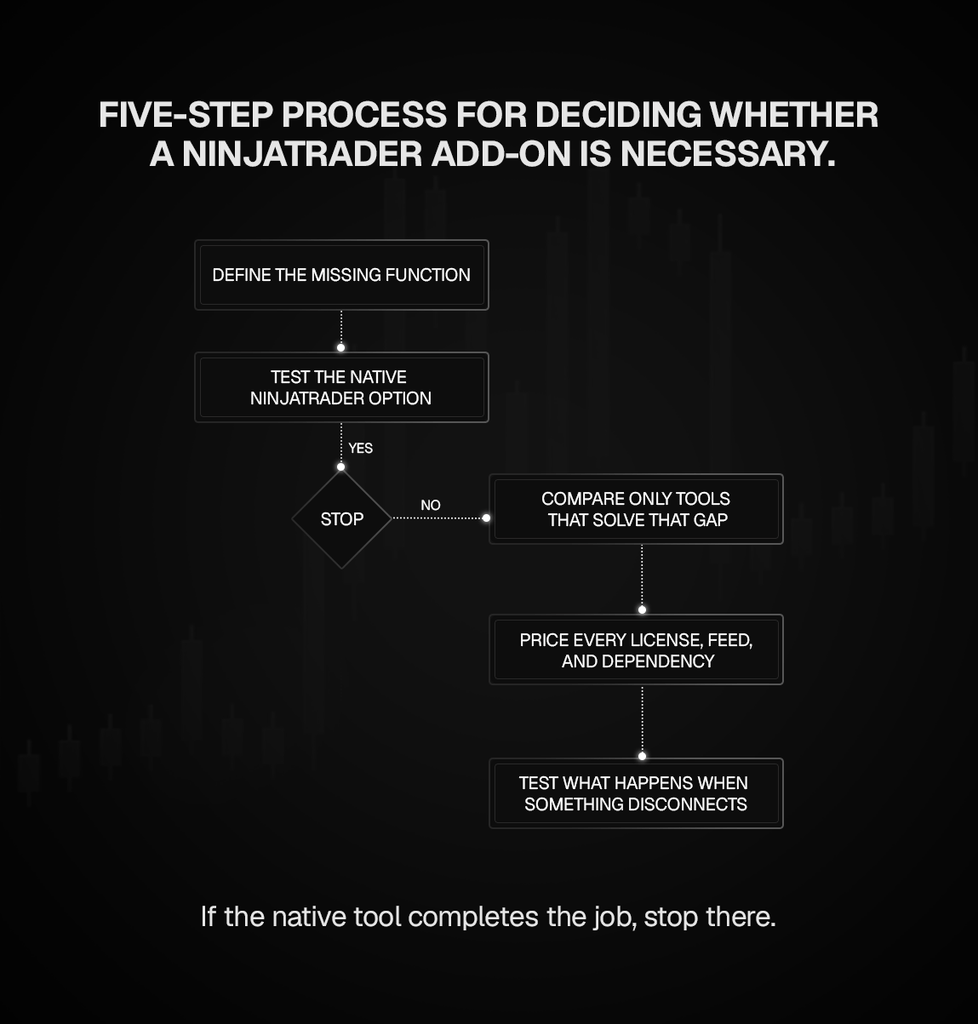
Define the missing job in one sentence. Test NinjaTrader’s native option. Compare only tools that solve the remaining gap. Price every required license, machine, data entitlement, connection, and subscription. Identify where the logic runs and what stops if that process or connection disappears. Then simulate the complete workflow, including failure and recovery.
Document the result in a one-page stack record containing versions, account mappings, data source, renewal dates, rollback files, and the actions that remain broker-side. Review it after every material update. A simple record is more valuable than relying on memory during a disconnect.
The right NinjaTrader add-ons setup may be completely native, native plus one specialist product, or a continuously running multi-component stack. Complexity should be earned by a documented need. If tested desktop logic genuinely must remain available beyond the home computer, TradoxVPS is one remote Windows option to compare with the existing setup.
How we checked this
Every product fact and price in this guide comes from the vendor’s own documentation or pricing page, linked inline where it is used rather than collected in a list at the end. NinjaTrader platform behaviour, including ATM Strategies, Strategy Builder, NinjaScript, Strategy Analyzer, historical fill processing, Tick Replay, the Playback Connection, the Risk window and Trade Performance, is described from NinjaTrader’s own help guides rather than from forum summaries.
Prices were verified on 3 September 2026. Where a vendor publishes in euros, the approximate dollar figure uses the European Central Bank reference rate for that date, and the conversion is labelled as approximate because rates and payment-provider fees move. Vendor pricing changes often, and several products in this guide changed price during 2026, so treat the date as part of the figure and check the linked page before you buy.
Reddit was used to work out what traders are actually asking about, not as a source of fact. The questions in the FAQ came from real threads about copier account limits, desktop and mobile dependencies, backtests changing after cached data was cleared, and replay downloads that appear empty. Every answer to those questions is sourced from official documentation, not from the thread.
Where a product’s behaviour depends on a configuration we could not verify from published material, the text says so rather than guessing. We host trading platforms rather than build add-ons, so the platform and failure-boundary sections come from operating this software, and the product comparisons come from reading the vendors’ own pages.
Frequently asked questions
There is no universal list. ATM Strategies, Strategy Builder, Strategy Analyzer, Playback, and Trade Performance may already cover the need. Compare third-party tools only after naming the missing job, such as visual logic, advanced trade management, multi-account copying, specialised order flow, local risk monitoring, independent data, or structured journaling.
Yes. NinjaTrader includes native studies, and community scripts are available through its sharing ecosystem. Some vendors also provide free packages, including limited MZpack order-flow tools. Test unfamiliar NinjaTrader indicators in simulation, verify the source and version, and install one at a time so errors and performance changes are traceable.
It can be sufficient when you need volumetric bars, cumulative delta, volume profile, VWAP, trade detection, or a market-depth map. First confirm the entitlement shown in your account because current official pages describe access differently. Buy another product only for a specific display, depth model, or workflow that Order Flow+ lacks.
The answer depends on permitted account types, connection limits, quantity rules, crossed instruments, remote operation, and failure handling. Replikanto is a prominent option, but no copier overrides broker or prop-firm terms. Run realistic simulations and verify how it handles partial fills, rejections, disconnects, flatten commands, and follower mismatches.
Desktop copiers can technically copy among supported connected accounts, but permission is a contractual question. Each firm may restrict account combinations, automation, devices, IP behaviour, or copy methods. Check every current rule in writing. Do not infer permission from the fact that software can display and select the accounts.
Each follower sends a separate order and reaches its own queue. Latency, liquidity, order type, size, rejection, and account state can produce different fills. Cross-order mappings between mini and micro contracts add another market. A copier can coordinate instructions, but it cannot guarantee identical executions or profit and loss.
Only when the supported desktop workflow remains active. Replikanto says it can copy supported Tradovate orders placed through web, mobile, or TradingView, but NinjaTrader and Replikanto still need to be running on the involved machine. The phone is an entry or monitoring surface, not the process hosting the copier.
New copy instructions, local monitoring, and reconciliation can stop. Orders already accepted by a broker may remain working, depending on the order type and provider. Test disconnect and restart behaviour in simulation, then compare the leader, followers, working orders, and positions before re-arming the copier.
It can run disciplined historical simulations, but accuracy depends on data, bar type, fill settings, commissions, code behaviour, and assumptions. Historical fills are not live fills. Use reproducible inputs, out-of-sample testing, playback or forward simulation where appropriate, and a controlled live release rather than trusting one attractive report.
The input may have changed. Cached versus downloaded records, contract merge policy, bid and ask history, sessions, time zone, roll dates, or provider data can alter calculations. Record a test manifest containing the data source, download date, contract, merge policy, settings, and code version before comparing runs.
Compilation only proves that the code is syntactically valid. The strategy may expect real-time market-depth events, Tick Replay programming, a secondary series, or data that Strategy Analyzer does not provide in the same form. Check every event dependency and use the test mode supported by that logic.
Confirm that the selected date and exact contract contain replay data, that the Historical Data window completed the download, and that NinjaTrader is connected to Playback rather than another feed. Use a dedicated playback workspace. If the file appears empty or corrupt, download a known recent common instrument as a control test.
They can. Performance depends on calculation frequency, chart count, lookback, rendering, data granularity, and code quality. Add one tool at a time, test during a busy representative session, and watch logs and responsiveness. Removing unused panels and duplicate calculations is often more useful than guessing from the vendor’s minimum specification.
Not when the existing broker or provider already supplies the symbols, depth, and history you need. Kinetick is useful as an independent data source, but it does not replace order routing. Price its base service, market-depth option, and exchange fees against the exact coverage gap before subscribing.
No. A VPS is most relevant when local strategies, copiers, alerts, or risk actions must remain active while the home computer is unavailable. It is usually unnecessary for a few indicators, short supervised sessions, occasional replay, or cloud journaling. Hosting changes availability, not strategy quality or broker rules.