
First month 25% off for new traders — code

right line
left line
MultiCharts VPS

MultiCharts VPS for Traders Who Run Their Own Stack

MultiCharts lets you pick your own broker and your own data feed, then build and test strategies against them. A VPS is the always-on machine that keeps your automation live, your data building, and your optimizations running, on Chicago hardware a short hop from CME.
Trading VPS Pricing

MultiCharts VPS Pricing

Every plan runs the current-generation AMD Ryzen 9 9950X with DDR5 and NVMe, in the Chicago metro on CME-proximal infrastructure, a short network path from the CME matching engines in Aurora. MultiCharts is unusual in that it rewards cores: its optimizer uses every core you give it, so if you run portfolio backtests or walk-forward studies, the higher tiers pay for themselves in time saved.
Why MultiCharts VPS

Your Broker, Your Data Feed, Your Strategies. Running Without You.

MultiCharts is built around choice. You bring your own data feed and your own broker, connected independently, and MultiCharts does the charting, the scripting, the backtesting and the automated execution on top. All of that runs on your machine, which is exactly why an always-on machine matters.
Job one
It keeps your automation live

PowerLanguage and .NET strategies fire orders only while MultiCharts is open and connected. On a VPS the app runs through the night and across every session, so nothing stops when your laptop sleeps.

Session uptimeLive
00:0008:0016:0024:00
Job two
It runs your heavy compute

Portfolio backtesting, walk-forward and genetic optimization use every core, for as long as they take. Launch a big run on the VPS and let it finish on Chicago hardware while your own PC stays free.

Optimization running16 / 16 cores

One honest caveat: whether your resting orders survive a disconnect is up to the broker you chose, not MultiCharts. Some hold your brackets server-side; others rely on the platform being up. A VPS is not a blanket guarantee for your orders. What it reliably protects is the work on the machine: your automation, your data and your optimization runs.

How MultiCharts Run

Everything a MultiCharts Desk Needs

PowerLanguage and .NET, both

Run classic MultiCharts with PowerLanguage, or MultiCharts .NET with C#, VB.NET or Python and full Visual Studio debugging. Full Windows Server means either runs exactly as it does locally.

Your broker, your data feed

MultiCharts separates the two on purpose. Plug in your own data provider and your own broker independently, from the 20-plus feeds and dozens of brokers it supports.

Backtesting that uses the whole box

Tick-by-tick backtesting, Bar Magnifier and portfolio testing lean on cores and memory. Current-generation Ryzen silicon and DDR5 keep long runs moving.

Charts and scanners under load

300-plus studies, Renko, Kagi, Point and Figure, Market Profile and a real-time Market Scanner across many symbols all redraw smoothly through a volatile open.

Short path to the exchange

Chicago-metro hosting sits a short network hop from CME's Aurora data center. Whatever feed and broker you run, measure the round-trip from your own setup and judge it yourself.

Always-on, protected

Redundant power and networking, network-level DDoS mitigation, and a 99.999% uptime target you can check against our public status page.

Connects through MultiCharts
PowerLanguage MultiCharts .NET Interactive Brokers Rithmic CQG IQFeed AMP

MultiCharts connects to 20-plus data feeds and dozens of brokers, chosen independently. Setups and symbols change, so confirm the current options in MultiCharts' own documentation.
Core Values

What Drives TradoxVPS

Our commitment to excellence is built on these fundamental principles
Ryzen 9 9950X CPU

Ryzen 9 9950X CPU

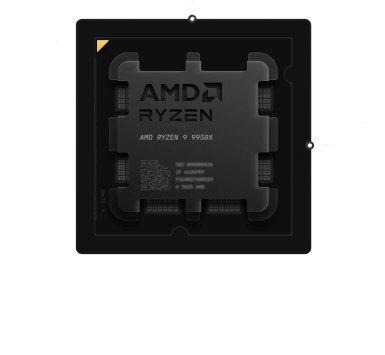
Every plan runs AMD’s current-generation Ryzen 9 9950X (Zen 5), boosting up to 5.7 GHz. MultiCharts leans on single-core speed for live charts and on all cores for optimization, and we publish real per-plan PassMark scores on our benchmarks page.

Ultra-Low Latency

Our Chicago hub sits a short network hop from CME-adjacent infrastructure. We do not stamp a millisecond figure on the page, because a ping is not your order round-trip. Test the path from your own location with our latency checker.

99.999% Uptime

We target five-nines availability through redundant infrastructure, enterprise hardware, and 24/7 monitoring, and we publish the real history on our status page.
advanced network for trading

Advanced Network

3 Gbps of throughput with unlimited bandwidth and a dedicated IPv4 that is yours alone, plus network-level DDoS mitigation that absorbs hostile traffic before it reaches your server.
Feed & Broker Table

Bring Your Own Feed And Broker

MultiCharts does not lock you to a provider. You choose your data feed and your broker separately, and the VPS hosts the whole setup. Here is how common combinations map. Support and symbol details change, so confirm the current setup in MultiCharts’ own documentation before you commit.
Bring your own feed and brokerVerify current support
Your setup Data feed Broker / routing The always-on layerWhat the VPS hosts
Futures, all-in-one Rithmic or CQG Same rail The desktop app, auto-trading, data
Futures, split IQFeed Interactive Brokers or AMP Charts, strategies, the Quote Manager
Stocks and options IQFeed or IB Interactive Brokers Scanners, studies, automation
Crypto Exchange feed Binance, Bybit or OKX The session and your bots
Research only Any feed or the simulator None Backtesting, optimization, data building
Environment Comparison

MultiCharts VPS vs Home PC vs Generic VPS

See how a MultiCharts VPS compares to other trading setups
Platform Comparison
Features Home PC Generic VPS TradoxVPSMultiCharts VPS
Platform Stability Variable Standard Optimized for MultiCharts
CPU Performance Consumer-grade Shared Ryzen 9950X CPU
Network Stability ISP dependent Standard Trading-optimized
Firewall Configuration Manual Generic Optimized for MultiCharts
Remote Access Limited Yes Secure & flexible
Professional Use Not recommended Limited Designed for serious traders
Ideal For

Is This MultiCharts VPS Right for You?

This VPS is suitable for:

check-icon
MultiCharts discretionary traders
check-icon
Automated strategy users
check-icon
Traders running strategies continuously
check-icon
Professionals requiring stable execution
check-icon
Users who want a low-maintenance trading setup
If MultiCharts is central to your trading workflow, a dedicated VPS provides reliability and peace of mind.
Related Blogs

Explore Related Blogs

Quick Answers

Frequently Asked Questions

Everything you need to know about our MultiCharts VPS

Is this VPS compatible with MultiCharts?

Yes. It is a full Windows Server environment, so MultiCharts and MultiCharts .NET install and run exactly as on a desktop, including PowerLanguage, C#, VB.NET and Python strategies, the Market Scanner, the Quote Manager, and connections to your chosen data feed and broker.
Yes, that is a main reason to use one. PowerLanguage and .NET strategies fire orders through auto-trading only while MultiCharts is open and connected. On an always-on VPS the app keeps running overnight and across every session, so your automation does not stop when your own machine sleeps.
That depends on your broker, not on MultiCharts. Some brokers and rails hold your bracket and stop orders server-side, so they survive a disconnect; others rely on the platform staying connected. Confirm your broker’s behavior. What a VPS reliably protects is the work on the machine: your automation, your Quote Manager data and your optimization runs.
Yes, and this is where MultiCharts stands out. Portfolio backtesting, walk-forward and genetic optimization use every core you have, and the code is compiled, so more cores finish faster. You can launch a heavy run on the VPS and let it complete on Chicago hardware without tying up your own PC. Some traders run the Backtesting Edition on the VPS while trading live on their own machine.
Yes, that is the point of MultiCharts. It separates data from execution, so you plug in your own data provider and your own broker independently, from the many it supports. The VPS hosts whatever combination you choose.
Yes. MultiCharts connects to more than 20 data feeds and dozens of brokers, including those. Because feed and broker are chosen separately, you can, for example, take data from IQFeed and route orders through Interactive Brokers. Confirm current support in MultiCharts’ documentation.
We deliberately do not quote our own number, because a ping is not your order round-trip, and MultiCharts routes through whatever broker you pick. Our Chicago hub is a short path from CME’s Aurora data center; run our latency checker from your own location, then verify from the VPS to your broker after deploying.
Honestly: a VPS removes the delays and disconnects your home setup adds, and keeps your automation and data running on time. It cannot control slippage from fast markets and thin liquidity at the exchange, and no provider can. Be skeptical of anyone who promises otherwise.
Yes. The VPS runs continuously whether or not you are connected, and you reach your MultiCharts desktop through secure Remote Desktop from Windows, macOS, iOS or Android. Close the RDP window rather than logging out and everything keeps running.
Deploy MultiCharts on a VPS built for stability, performance, and professional trading environments.