
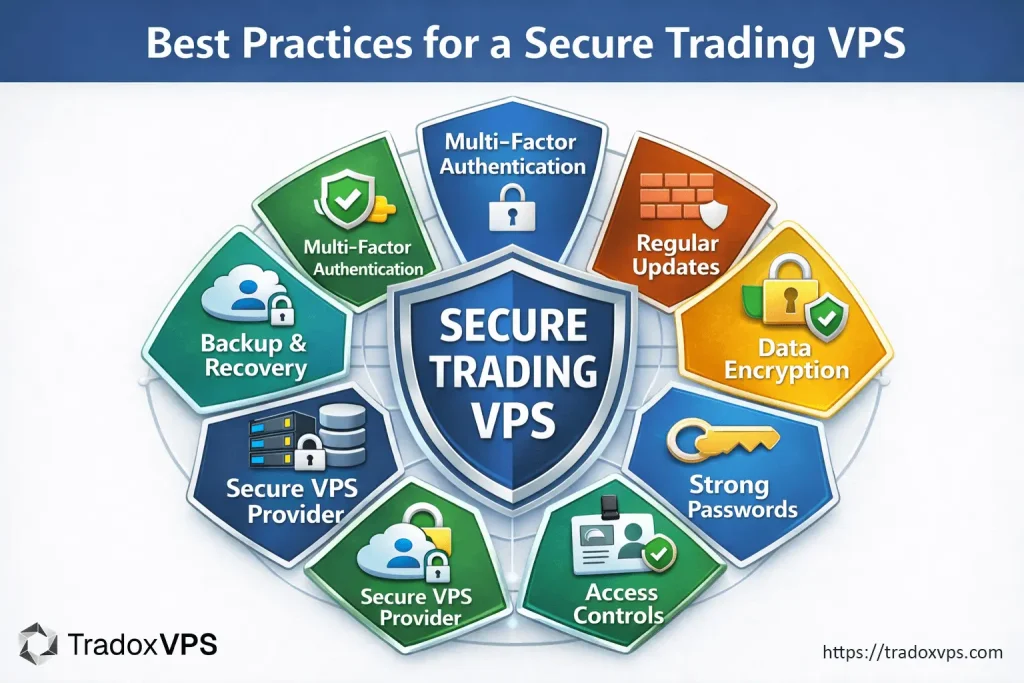
In the competitive world of automated and algorithmic trading, ensuring that your trading infrastructure is secure isn’t optional — it’s mission critical. A compromised Virtual Private Server (VPS) can result in unauthorized trades, stolen funds, leaked API keys, or disruptive downtime at key market moments. This guide dives deep into everything you need to know about securing your trading setup, why it matters, and how to implement best practices on a secure trading VPS.
Why VPS Security Matters for Trading Automation
Trading bots and algorithmic systems run 24/7 and often have direct control over your broker APIs and financial decision logic. Unlike ordinary web projects, automated trading faces both financial and reputation risk when security is weak.
- Financial theft through stolen credentials or API keys.
- Downtime during critical market moments from DDoS (Distributed Denial of Service) attacks.
- Unauthorized trades or market manipulation when bots are hijacked.
- Exposure from improper access controls or weak encryption.
Your VPS is essentially your trading brain — and securing it protects your capital, reputation, and operational resilience.
Core Security Threats to a Trading VPS
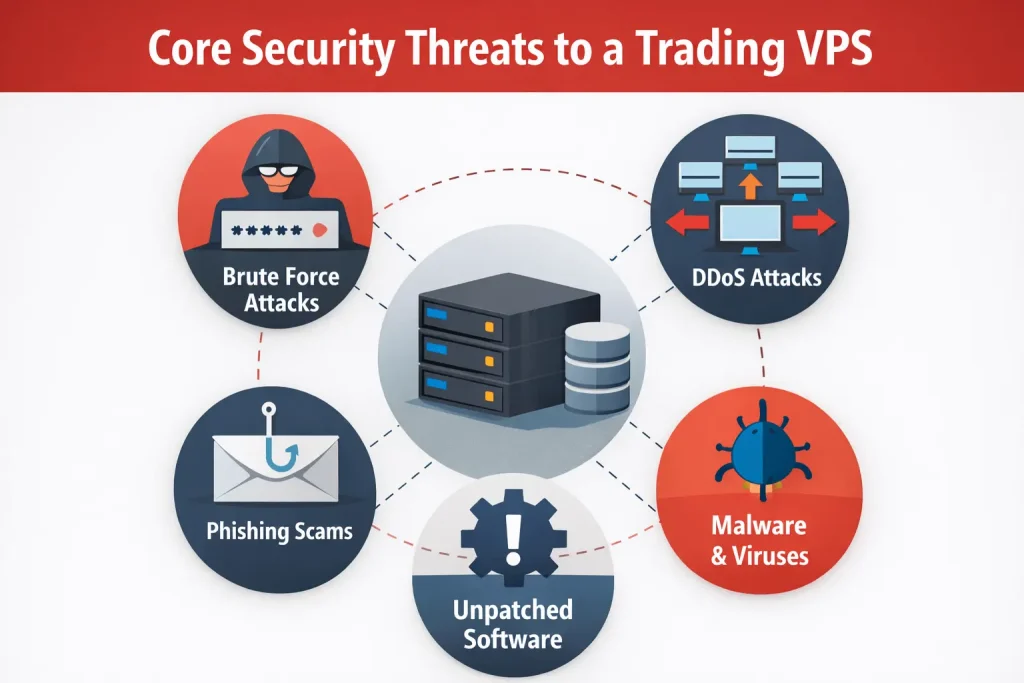
Understanding common attack vectors helps traders protect against them effectively:
- Brute force attacks: Automated attempts to guess passwords or keys, especially via open RDP/SSH ports.
- Malware and viruses: Malware can corrupt trading bots or exfiltrate sensitive files.
- DDoS attacks: Can render your server unreachable when liquidity and execution timing matter most.
- Unpatched software: Outdated OS or platform components create easy security holes.
- Phishing and social engineering: Attackers trick users into divulging credentials.
Best Practices for a Secure Trading VPS
1. Choose a Secure VPS Provider
Start with a provider that has strong baseline security — you don’t want to harden a platform that already has fundamental flaws. Look for:
- DDoS mitigation at the network level.
- Dedicated firewalls and intrusion detection systems.
- Clear security policies and documented compliance features.
- Backup systems, SSL protections, and 24/7 support.
Reliable infrastructure is your first line of defense — strong uptime and protective features set the stage for a secure trading VPS environment.
2. Harden Remote Access (SSH / RDP)
Remote access is where most initial attacks start. Simple credential guessing via brute-force tools can succeed if left exposed.
- Disable default root logins and use non-root accounts.
- Use key-based SSH authentication instead of passwords.
- Change default ports (e.g., RDP port 3389) to custom ports.
- Lock down access to a known set of IP addresses (whitelisting).
- Enable Network Level Authentication (for RDP).
3. Implement Multi-Factor Authentication (MFA)
MFA adds a crucial second layer of defense. Even if a password is breached, the attacker still cannot access your VPS without the second factor. Use robust MFA methods such as authenticator apps or hardware keys rather than SMS-based MFA to avoid SIM-swap vulnerabilities.
4. Use Strong Passwords and Rotation Policies
Weak or reused passwords are one of the easiest ways to lose control of a VPS. Best practices include:
- 16+ character complex passwords with mixed character types.
- Password rotation every 90 days or sooner.
- Dedicated password managers like Bitwarden, 1Password, or LastPass.
5. Regular System and Software Updates
Security patches in the Linux or Windows OS and trading platforms fix vulnerabilities exploited by attackers.
- Enable auto-updates where possible.
- Test platform updates in a staging environment before applying to production.
- Keep 3rd-party tools up to date as well.
6. Firewall Configuration and Network Rules
A properly configured firewall allows only essential traffic. At minimum:
- Block inbound connections except SSH/RDP from trusted IPs.
- Allow outbound connections only to broker API endpoints.
- Document and version firewall rules for consistency.
7. Encrypt Your Data and Connections
Encryption helps prevent data theft:
- Always use HTTPS for web dashboards and SSH/SFTP for file transfers.
- Tunnel connections via a trusted VPN to hide activity and sensitive data.
- Consider full disk encryption for storage of SSH keys and config files.
8. Use Antivirus and Intrusion Detection Software
Even servers can suffer from malware threats:
- Use lightweight, server-optimized antivirus tools.
- Deploy IDS tools like OSSEC or Tripwire to monitor changes to system files.
- Schedule regular malware scans.
9. Backup and Disaster Recovery Planning
Good backups are your safety net. Backups protect against:
- Malware or ransomware encryption of your server files.
- Configuration mistakes or accidental deletions.
- Hardware or network failures.
Maintain multiple backups (local, offsite, cloud) and test restorations to ensure they work when you need them.
10. Least Privilege & Access Auditing
Never give users more permissions than they need:
- Audit accounts quarterly to remove unused ones.
- Apply the principle of least privilege for every role.
- Monitor user activity logs for anomalies.
Specific Considerations for Automated & Algorithmic Trading
API Key Security
API keys used by bots should be treated like credentials. Store them encrypted or in environment variables. Restrict their permissions to trade only (not withdrawals) and rotate them periodically. If an API key is compromised, the attacker can conduct unauthorized trades or withdrawals.
Isolate Trading Processes
Isolating your trading bots into containers or separate VPS instances reduces the chance that one compromised component affects your whole setup.
Continuous Monitoring
Automated monitoring of server health, performance metrics, and security logs provides early detection of unusual activity — often before a full breach occurs.
Outbound Resources for Secure VPS Setup
- OWASP Top Ten Security Risks — industry standard security threat list.
- Center for Internet Security (CIS) — best practice benchmarks.
- SANS Institute — cybersecurity training and whitepapers.
FAQs About Secure Trading VPS
What is a secure trading VPS?
A secure trading VPS is a virtual server configured and hardened to safely host trading platforms and automation tools, minimizing risks from cyber threats, unauthorized access, or service disruptions.
Do I need special security settings for algorithmic trading?
Yes — because automation runs 24/7 and directly controls trades, you should enforce stricter policies like MFA, encrypted communications, firewalls, and continuous monitoring to protect assets and uptime.
How often should I update my VPS software?
Ideally, enable automatic updates for critical security patches and manually review less frequent updates during low-market periods to prevent disruptions.
Can I run multiple bots on one VPS?
Yes, but isolating bots (e.g., via containers or separate instances) improves security and reduces the blast radius if one bot is compromised.
What is the safest way to access a trading VPS remotely?
Use key-based SSH for Linux or RDP with Network Level Authentication plus IP restriction. Consider tunneling through a VPN for additional security.
How do I protect my API keys?
Store them encrypted, restrict permissions, rotate keys regularly, and never hard-code them in visible scripts.
Conclusion
Securing your trading VPS is not just about preventing hacks — it’s about ensuring uninterrupted, resilient, and trusted execution of your algorithmic strategies. By following the best practices outlined above, your secure trading VPS becomes a rock-solid foundation for automated trading success. Make a security plan, enforce policies, and monitor activity proactively, and you’ll protect both your trading performance and your peace of mind.