First month 25% off for new traders — code

right line
left line
PickMyTrade VPS

PickMyTrade VPS for Interactive Brokers, Where TWS Has to Stay On

For most brokers, PickMyTrade runs entirely in the cloud and needs no VPS at all. Interactive Brokers is the exception: IBKR only accepts orders through TWS or IB Gateway, which must stay running and logged in. This VPS is the always-on machine that keeps TWS, IB Gateway and the PickMyTrade IB App alive, so your TradingView-to-IBKR automation never goes dark.
Trading VPS Pricing

Choose Your Trading VPS Plan

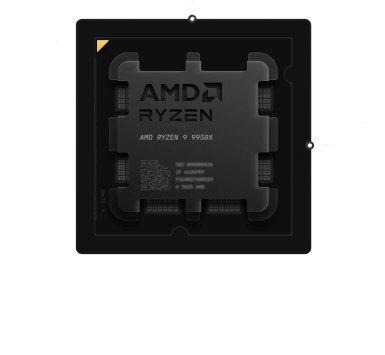
Every plan runs the current-generation AMD Ryzen 9 9950X with DDR5 and NVMe, in the Chicago metro on CME-proximal infrastructure, a short network path from the CME matching engines in Aurora. TWS, IB Gateway and the PickMyTrade IB App are light to run, so even the smaller tiers are comfortable for a single IBKR automation; multiple accounts, extra desktop platforms or heavy charting reward the higher tiers.
Understanding PickMyTrade

What is PickMyTrade?

PickMyTrade is a trading automation platform that connects TradingView alerts and strategies directly to brokers such as Interactive Brokers. It allows traders to automatically execute trades when a TradingView alert or strategy signal is triggered. The platform acts as a bridge between TradingView and the broker, enabling automated trading for stocks, futures, options, and futures options without manual execution.

TradingView Automation for Interactive Brokers

PickMyTrade connects directly to your Interactive Brokers account through Trader Workstation (TWS), allowing you to automatically execute trades based on signals from expert traders or algorithmic strategies you choose to follow. Unlike generic copy trading services, PickMyTrade is purpose-built for the Interactive Brokers ecosystem, providing tight integration, precise order execution, and full control over your account.
pickmytrade
Simple 4 Steps Progress

How PickMyTrade Automation Works

PickMyTrade enables automated trading by connecting TradingView alerts to Interactive Brokers through Trader Workstation (TWS).

TradingView Alert

A TradingView strategy or indicator generates an alert based on predefined trading conditions.

Webhook Sent to PickMyTrade

The alert triggers a webhook that sends the trading signal directly to PickMyTrade.

Signal Processing

PickMyTrade receives and processes the signal, translating it into an executable order instruction.

Order Execution via Interactive Brokers

The order is automatically executed in the trader’s Interactive Brokers account through Trader Workstation.
Why PickMyTrade VPS

PickMyTrade Is Cloud. Interactive Brokers Is Not.

You just saw how PickMyTrade works. For most brokers that whole chain runs in the cloud, with your laptop off. Interactive Brokers is the one place that changes, and it is the entire reason this page exists. Here are the two paths, side by side.
1 Tradovate, Rithmic, TradeStation and most brokers No VPS needed
TradingView Alert fires PickMyTrade In the cloud Your broker Order placed

The whole chain runs on PickMyTrade's servers. You can close your laptop and it keeps trading. Nothing here needs a machine of yours.

2 Interactive Brokers Needs the always-on VPS
TradingView Alert fires PickMyTrade In the cloud TWS + IB App On the VPS · always on Interactive Brokers Order placed

IBKR only accepts orders through TWS or IB Gateway, running and logged in. That one box lives on the VPS, pre-installed with the PickMyTrade IB App. It is the single piece that has to stay awake.

One point we will not hide: a VPS does not remove IBKR's weekly login. Every Sunday into Monday, IBKR forces a re-authentication that needs your two-factor approval by hand. What the VPS gives you is a session already up and reachable from any device, so you clear that 2FA from your phone in seconds instead of racing to a home PC.

How The IBKR Path Runs

The Interactive Brokers Chain, Honestly

PickMyTrade stays in the cloud

Your alerts hit PickMyTrade's servers, not the VPS. For most brokers that is the whole story and no VPS is involved. The machine only enters the picture for Interactive Brokers.

TWS or IB Gateway holds the session

IBKR only accepts orders through a running, logged-in TWS or IB Gateway. This is the piece that has to stay on, and the reason the VPS exists at all.

The PickMyTrade IB App bridges the two

It runs on the VPS beside TWS, takes the order PickMyTrade sends from the cloud, and passes it to your IBKR session. Pre-installed as part of our PickMyTrade partnership.

The weekly login is yours to clear

Every Sunday into Monday IBKR asks for a fresh two-factor login. The VPS keeps everything running and reachable so you approve it from your phone, but it does not remove the step. No provider honestly can.

Short path to the exchange

Chicago-metro hosting sits a short hop from CME's Aurora data center. On a webhook chain the real end-to-end time is fractions of a second to seconds, so reliability matters more than raw speed. Measure the round-trip yourself.

Always-on, protected

Redundant power and networking, network-level DDoS mitigation, and a 99.999% uptime target you can check on our public status page. An IBKR session is only useful while it is up.

Runs on the PickMyTrade VPS
TWS IB Gateway PickMyTrade IB App Interactive Brokers

These are the Interactive Brokers path pieces the VPS keeps alive. PickMyTrade itself is not on this list, because it runs in PickMyTrade's cloud, not on the VPS. For brokers PickMyTrade reaches directly in the cloud, none of this is needed. Confirm the current setup in PickMyTrade's own documentation.
Core Values

What Drives TradoxVPS

Our commitment to excellence is built on these fundamental principles
Ryzen 9 9950X CPU

Ryzen 9 9950X CPU

Every plan runs AMD’s current-generation Ryzen 9 9950X (Zen 5), boosting up to 5.7 GHz. Trading front ends lean on single-core speed, and we publish real per-plan PassMark scores on our benchmarks page so you can verify it instead of taking our word.

Ultra-Low Latency

We do not stamp a millisecond figure on the page, because a ping is not your order round-trip. Test the path from your own location with our latency checker, then judge us on what you measure.

99.999% Uptime

We target five-nines availability through redundant infrastructure, enterprise hardware, and 24/7 monitoring, and we publish the real history on our status page.
advanced network for trading

Advanced Network

3 Gbps of throughput with unlimited bandwidth and a dedicated IPv4 that is yours alone, plus network-level DDoS mitigation that absorbs hostile traffic before it reaches your server.
Which Broker Needs VPS Table

Which Broker Needs a VPS, and Which Does Not

The single most useful thing to know before you pay: with PickMyTrade, your broker decides whether a VPS is even required. Support changes, so confirm the current setup in PickMyTrade’s own documentation before you commit.
Which broker needs a VPSYour broker decides
Your broker on PickMyTrade How PickMyTrade reaches it Needs a VPS? The exceptionWhat the VPS does
Interactive Brokers Through TWS or IB Gateway, locally Yes Keeps TWS, IB Gateway and the IB App on 24/7
Tradovate PickMyTrade cloud to broker No Nothing, it runs in the cloud
Rithmic PickMyTrade cloud to broker No Nothing, it runs in the cloud
TradeStation PickMyTrade cloud to broker No Nothing, it runs in the cloud
ProjectX, Binance, others PickMyTrade cloud to broker No Nothing, it runs in the cloud
Also run MT4 / MT5 / NinjaTrader Desktop platform plus EA Yes Keeps those desktop platforms on too
Environment Comparison

TradoxVPS vs Home PC for PickMyTrade

What actually changesThe IBKR path only
Features Home PC Generic VPS TradoxVPSPickMyTrade VPS
TWS / IB Gateway Uptime Dies when the PC sleeps Unmanaged Runs 24/7
PickMyTrade IB App You install and babysit it Not set up Pre-installed, always on
Weekly IBKR 2FA Race to your home PC Manual, unmanaged Clear it from any device
Path to Your Broker Home ISP dependent Variable Data-center networking, measure it
Uptime Your home power and ISP Often unstated 99.999% target, public status page
Remote Access Limited Yes Secure RDP from any device
Session Security Home router Basic DDoS mitigation, zero-knowledge
Ideal For

Recommended for These PickMyTrade Users

This VPS is ideal if you:

check-icon
Use PickMyTrade with Interactive Brokers
check-icon
Run live copy‑trading or signal‑following strategies
check-icon
Want uninterrupted 24/7 operation
check-icon
Prefer infrastructure‑level risk reduction
check-icon
Trade during high‑volatility or extended sessions
If execution reliability matters to you, this VPS is the correct foundation.
Quick Answers

Frequently Asked Questions

Everything you need to know about our PickMyTrade VPS

Do I need a VPS to use PickMyTrade?

Usually not. PickMyTrade runs in the cloud, so for brokers like Tradovate, Rithmic, TradeStation, ProjectX and Binance, the whole chain works with your computer off, and no VPS is required. The exception is Interactive Brokers, which only accepts orders through TWS or IB Gateway. That software has to stay running and logged in, and that is what a VPS is for.
Because IBKR will not take an automated order unless a TWS or IB Gateway session is running and authenticated. PickMyTrade’s IB App connects to that session locally to place your trades. If the machine holding the session sleeps, reboots or loses connection, the session dies and orders stop. A VPS keeps TWS, IB Gateway and the PickMyTrade IB App on around the clock so the IBKR path never goes dark.
Yes. As an official PickMyTrade partner, we provide the VPS with TWS and the PickMyTrade IB App pre-installed. You log in over Remote Desktop, authenticate your Interactive Brokers account, and start executing. Use the code PickMyTrade for 15% off at checkout, and confirm the current discount before you subscribe.
No, and any provider who claims it does is not being straight. Every Sunday into Monday, IBKR forces a re-authentication that needs your two-factor approval by hand. TWS and IB Gateway auto-restart the other six days. What a VPS changes is that your session is already up and reachable from any device, so you approve the 2FA from your phone in seconds instead of needing to be at a home PC.
We deliberately do not quote a millisecond number, and you should be wary of anyone who does for this workflow. On a webhook-driven chain from TradingView through PickMyTrade to your broker, the real end-to-end time runs from fractions of a second to several seconds. Our Chicago hub is a short hop from CME’s Aurora data center, so what matters here is reliability, not microseconds. Run our latency checker from your location, then measure the VPS-to-IBKR path after deploying.
Yes. Your IBKR login lives inside TWS on your own VPS, which only you reach over an encrypted Remote Desktop session. PickMyTrade’s IB path connects through the TWS API rather than storing your broker password. We host and secure the machine; we do not hold your logins.
Yes. You can run several IBKR sessions for multiple accounts or prop setups, and if you also use MetaTrader or NinjaTrader with an EA, those can run on the same VPS. The higher tiers give you the cores and memory for it.
Chicago is the strong default, since it sits a short hop from CME’s Aurora data center and suits futures on IBKR. If most of what you trade lives elsewhere, pick the region closest to your account and measure the round-trip with our latency checker.
Yes. The VPS runs continuously whether or not you are connected, and you reach it through secure Remote Desktop from Windows, macOS, iOS or Android to check TWS, the PickMyTrade IB App and your fills. Close the RDP window rather than logging out and everything keeps running.
Deploy PickMyTrade on Reliable Trading Infrastructure